Pro exports are now available

Export and organize your AI chat history.

ChatVault AI adds a clean organizer to ChatGPT and Claude, then turns useful conversations into polished PDF, Word, or Image files. Save titles, links, folders, nested folders, bookmarks, project references, and platform metadata without storing chat message bodies.

Export conversations as PDF, Word, or Image files. Stores titles, links, folder records, bookmarks, and settings only. Does not store prompts, AI responses, uploaded files, cookies, or ChatGPT and Claude passwords.
ChatVault AI folders interface inside ChatGPT
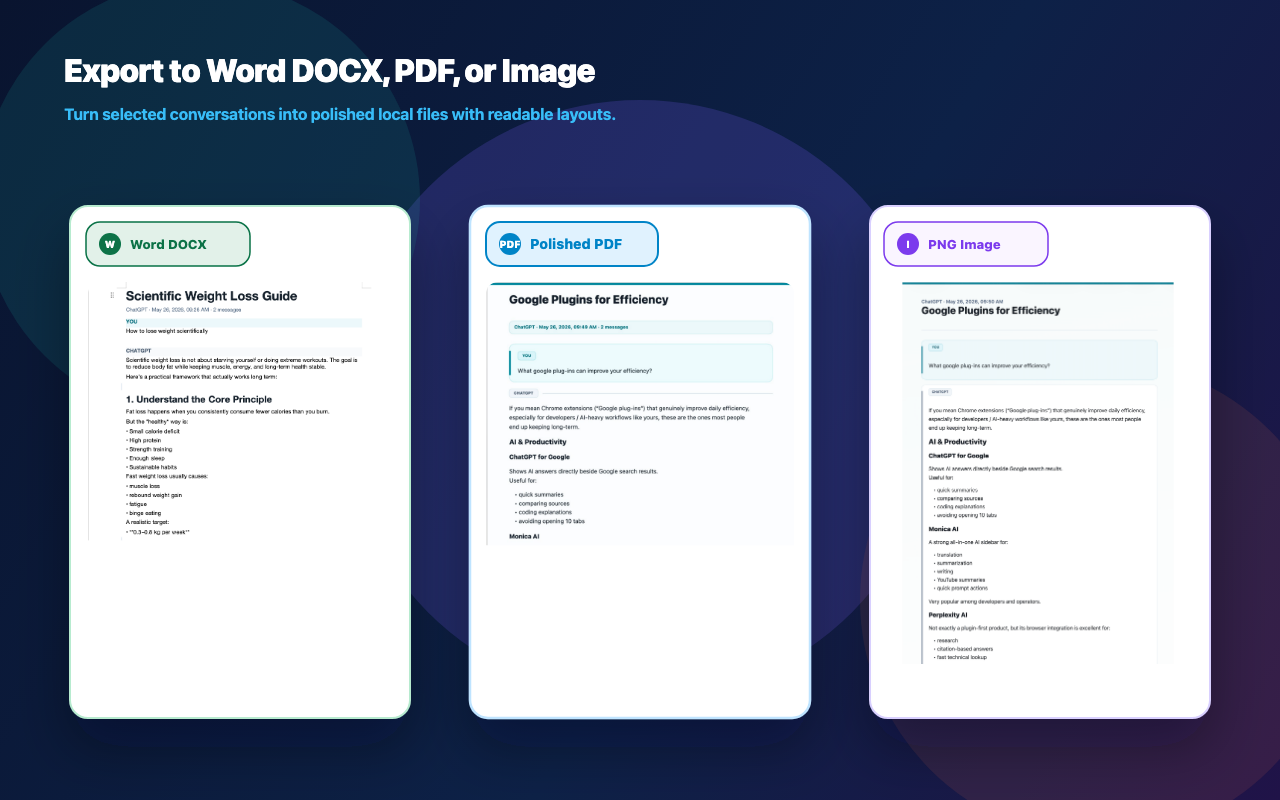
PDF + Word + Image Beautiful local exports for conversations you want to save, share, or archive.
Metadata only Cloud sync stores titles, IDs, URLs, timestamps, folders, and bookmarks.
ChatGPT + Claude Platform-aware organization with separate records for each service.

Built for people whose AI history became real work.

ChatVault AI focuses on the messy parts of AI tools: exporting useful answers, finding them again, grouping them by project, and reopening the original conversation after the day has moved on.

01

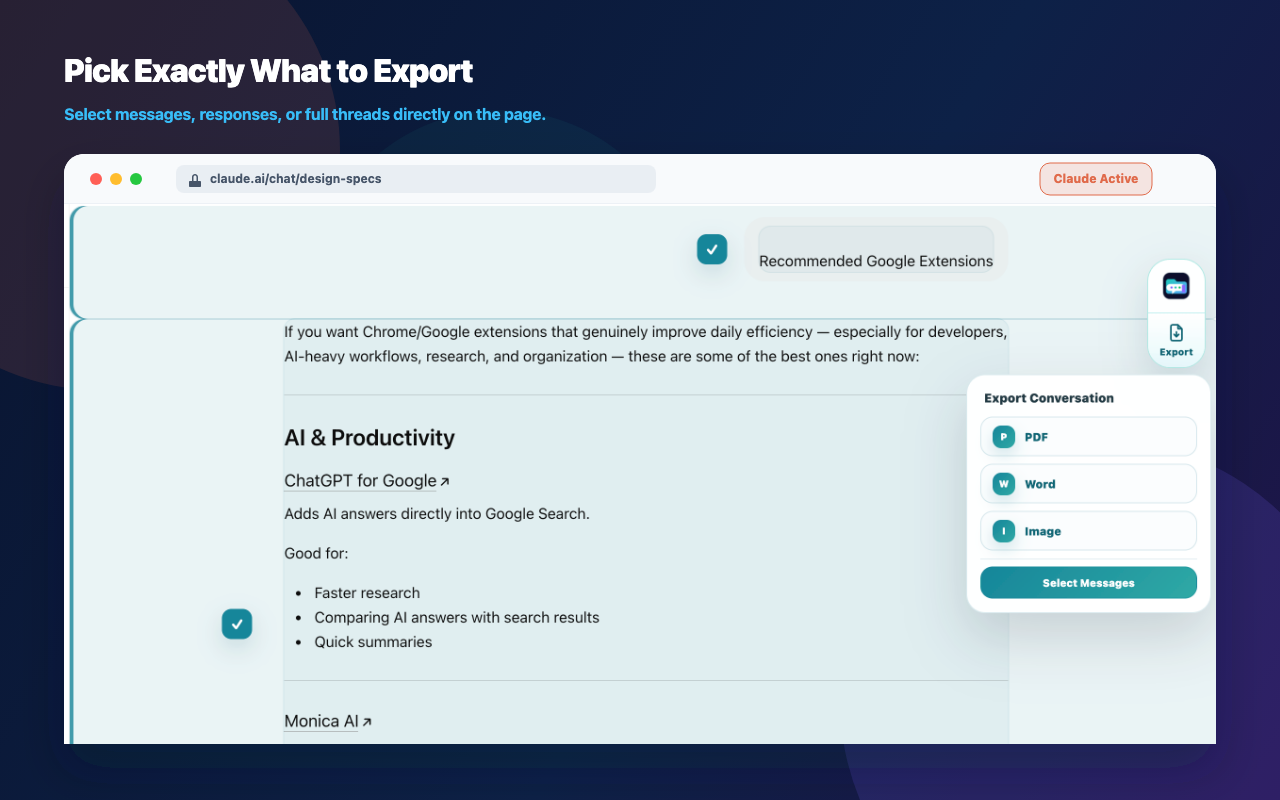
PDF, Word, and Image export

Turn ChatGPT and Claude conversations into polished local files for notes, reports, client handoff, research archives, or sharing. Choose full conversation, selected messages, or AI replies.

02

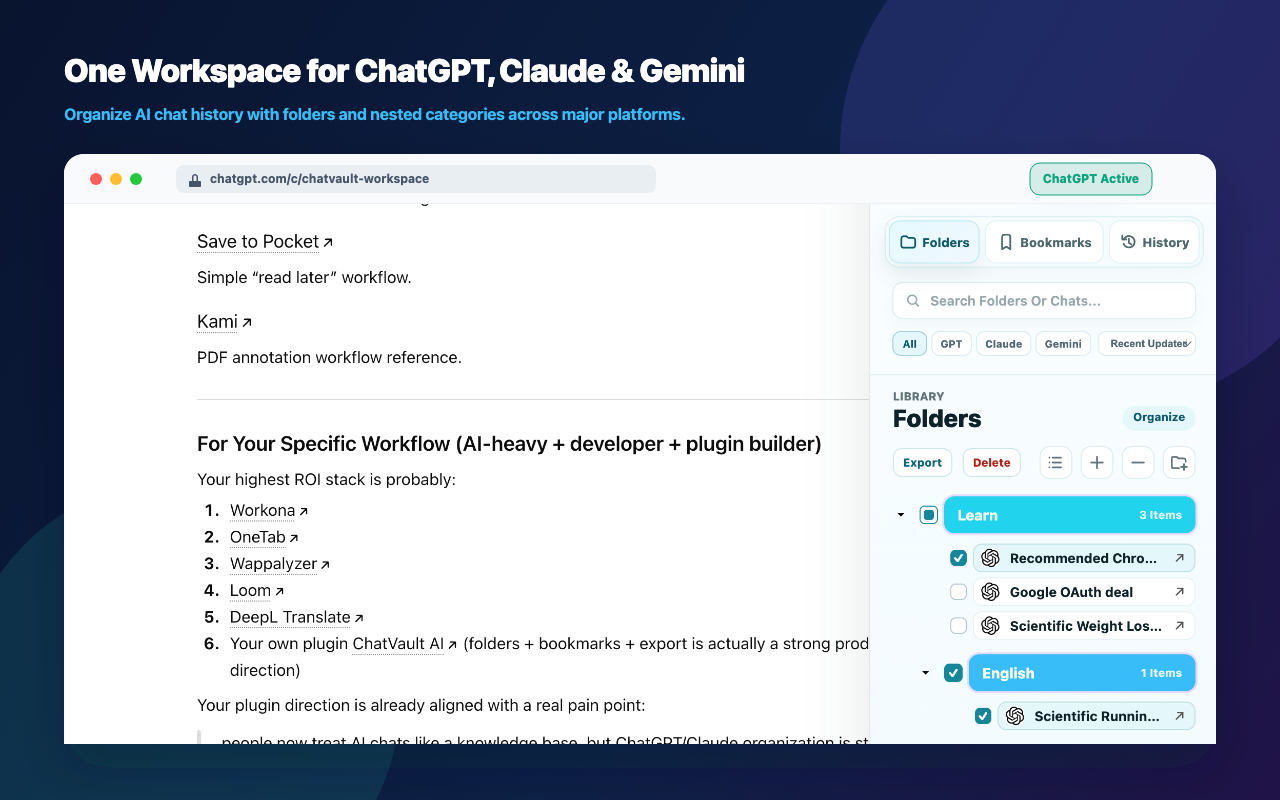
Folders and nested folders

Create structured folders for projects, clients, research topics, writing drafts, code reviews, or learning paths. Single-click a folder to expand or collapse it.

03

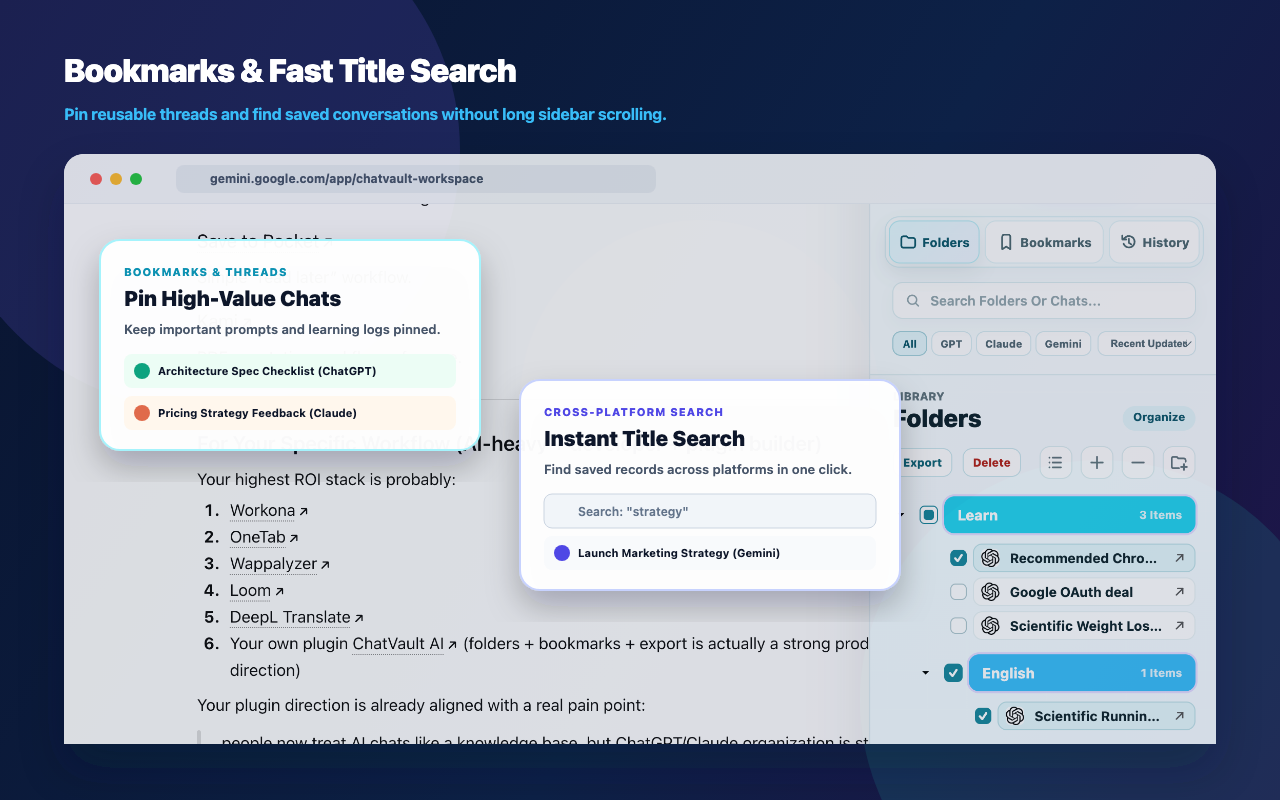
Bookmarks for key chats

Bookmark important ChatGPT and Claude conversations from the history list with an instant local UI update, then sync metadata in the background.

04

Fast chat selection

Add several conversations to a folder with multi-select, first-page loading, quiet background indexing, and local caching for smoother organization.

05

Platform-aware records

Keep ChatGPT and Claude folders, bookmarks, projects, and chat references clearly labeled with platform icons and separate metadata.

06

Account-backed sync

Use a ChatVault AI account to sync folder, bookmark, title metadata, linked account metadata, and settings.

07

Backup and import

Export and import folder and bookmark structures so your organization work can move with you.

Product screenshots

These images show the current extension interface and store-ready visual assets. Private chat message content is not shown.

ChatVault AI expanded folders sidebar inside ChatGPT
Folders inside ChatGPT Nested folders, cached chat references, project entries, and one-click expand or collapse.
ChatVault AI bookmarks interface inside Claude
Bookmarks inside Claude Important conversations stay visible with platform labels and direct reopen links.
ChatVault AI signed out account state
Signed-out state The sidebar can be visible before login, while save and sync actions require sign-in.
ChatVault AI account and settings screen
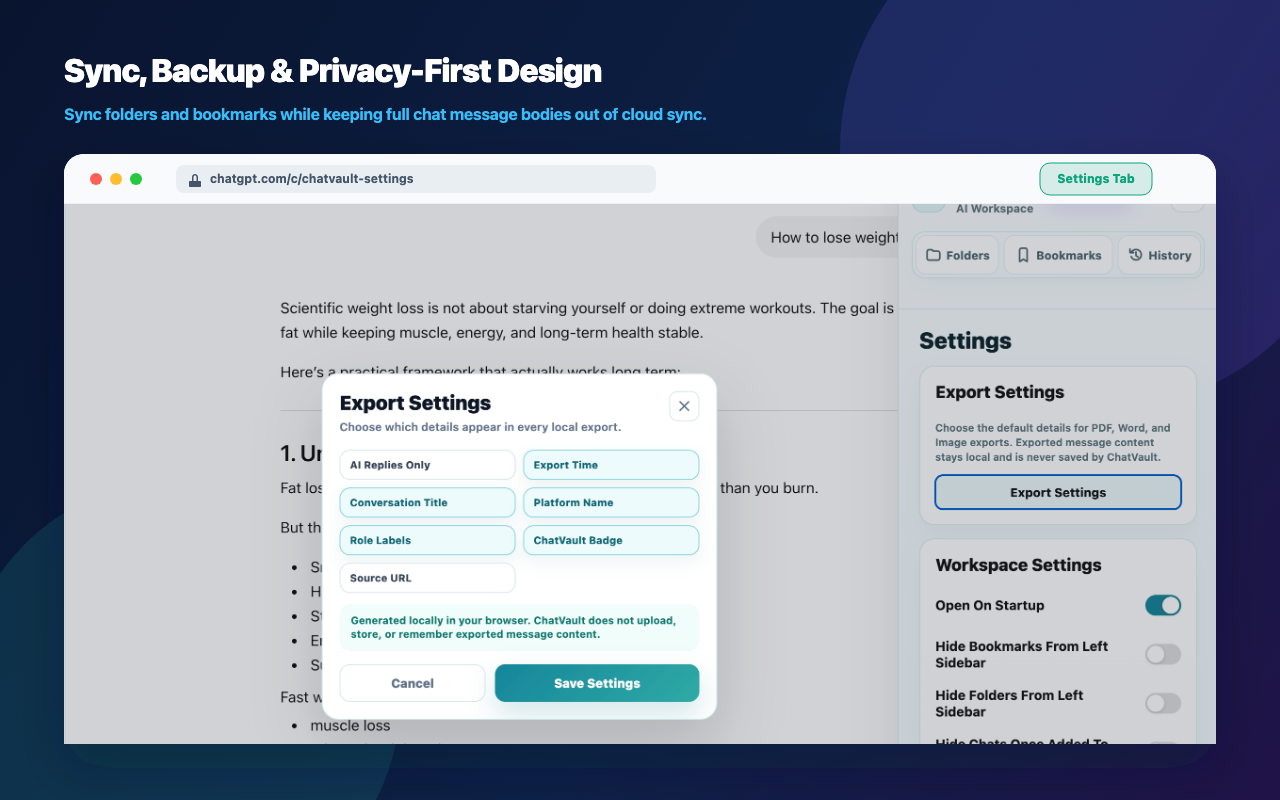
Account and settings Linked account metadata, sidebar behavior, export settings, backup, import, and upgrade entry points.

Privacy-first by design

The extension is for organizing chat references, not copying complete AI conversations into another database.

  • We may store your ChatVault AI account email address.
  • We may store conversation titles, conversation IDs, URLs, platform labels, and timestamps.
  • We may store folder names, folder hierarchy, colors, bookmarks, sort order, and settings.
  • We do not store chat message bodies, prompts, AI responses, uploaded files, attachments, browser cookies, ChatGPT passwords, Claude passwords, or payment card data.
  • We do not sell user data or use user data for advertising.
  • Support, privacy questions, and deletion requests can be sent to [email protected].

Membership

ChatVault AI includes a free preview and optional Pro membership with PDF, Word, and Image exports.

Free Preview

$0 today

Available free features may include folders, nested folders, bookmarks, platform labels, account sign-in, metadata sync, backup, and import. Pro adds PDF, Word, and Image exports.

  • No payment is required to use the current preview.
  • No card details are collected by ChatVault AI.
  • No recurring subscription is active today.
Ask a question

ChatVault Pro

$4.99+ paid

Paid features include beautiful PDF, Word, and Image exports, higher limits, advanced search, batch management, richer backup tools, and other productivity upgrades.

  • Pro Monthly: $4.99 per month.
  • Pro Yearly: $29.99 per year.
  • Lifetime Early Bird: $49.99 one-time.
  • Export ChatGPT and Claude conversations as PDF, Word, and Image files.
  • Payments are processed by our secure payment processor. ChatVault AI does not store card numbers or payment credentials.
  • All paid purchases include a 14-day refund window with no exceptions and no conditions.
Choose Pro plan

Use the same email address for checkout and your ChatVault AI account so Pro access can be matched after billing sync is processed.