Know what made it into the file.
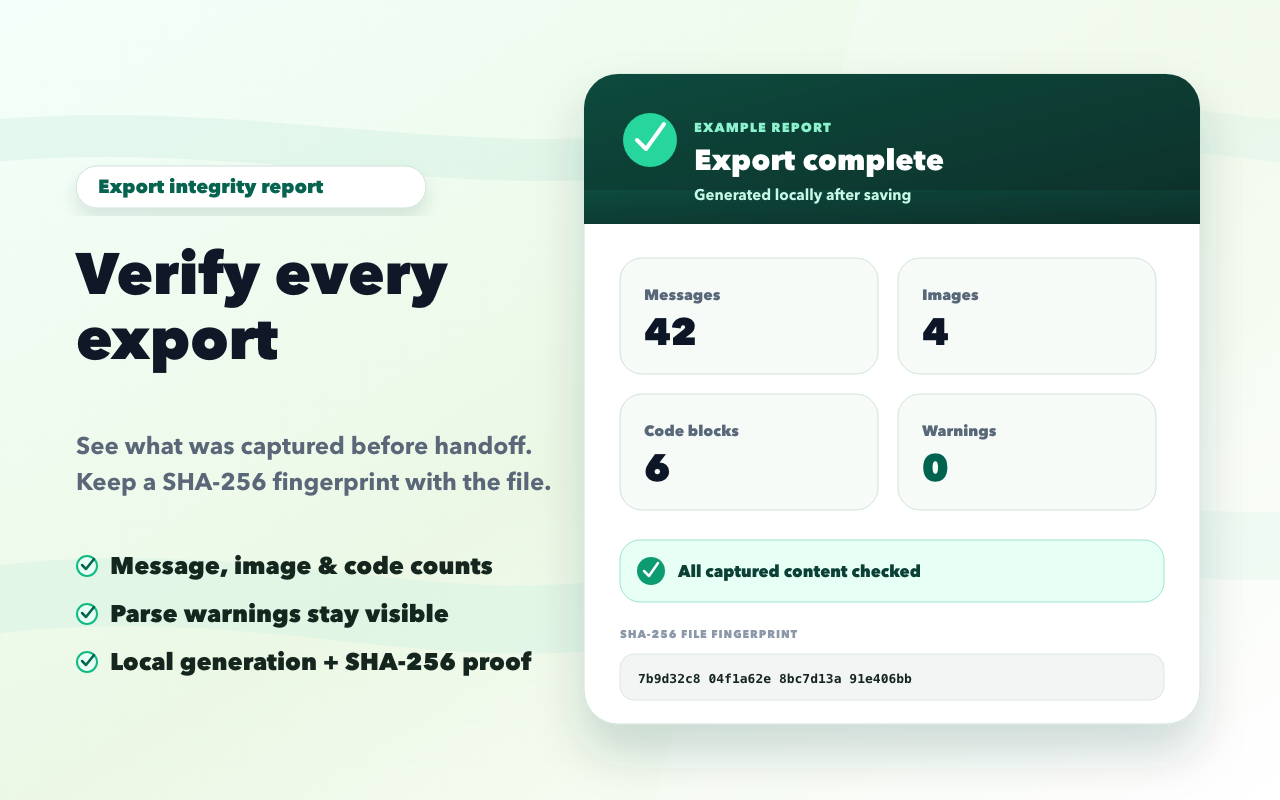
Every completed export can report message, role, image, code block, and unresolved-content counts, plus a SHA-256 fingerprint.
Batch export polished files or sync selected conversations to Notion and Obsidian in one click.

Choose the right scope, keep useful structure, and get evidence about what was included.
Every completed export can report message, role, image, code block, and unresolved-content counts, plus a SHA-256 fingerprint.
Headings, lists, tables, code blocks, quotes, and image references stay readable across supported formats.
Choose a full conversation, selected messages, AI replies only, or one answer.
Sync to an authorized Notion workspace, or save to multiple Obsidian Vaults with YAML templates, tags, and attachment path rules.
This product tour uses the current extension interface, a real selected chat, the current PDF renderer, and a real integrity report.
Compare the source conversation with the first page produced by the current PDF export engine.
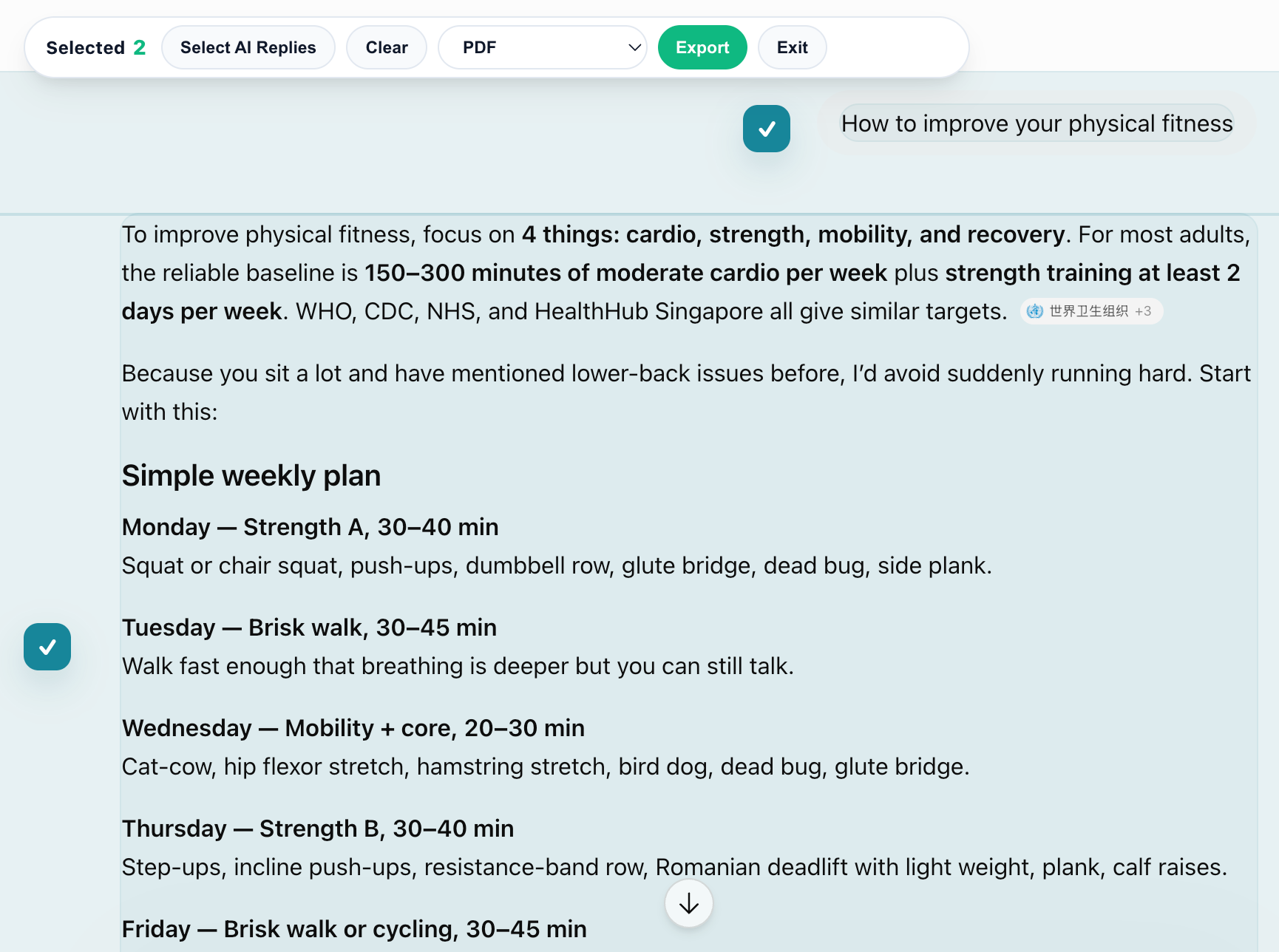
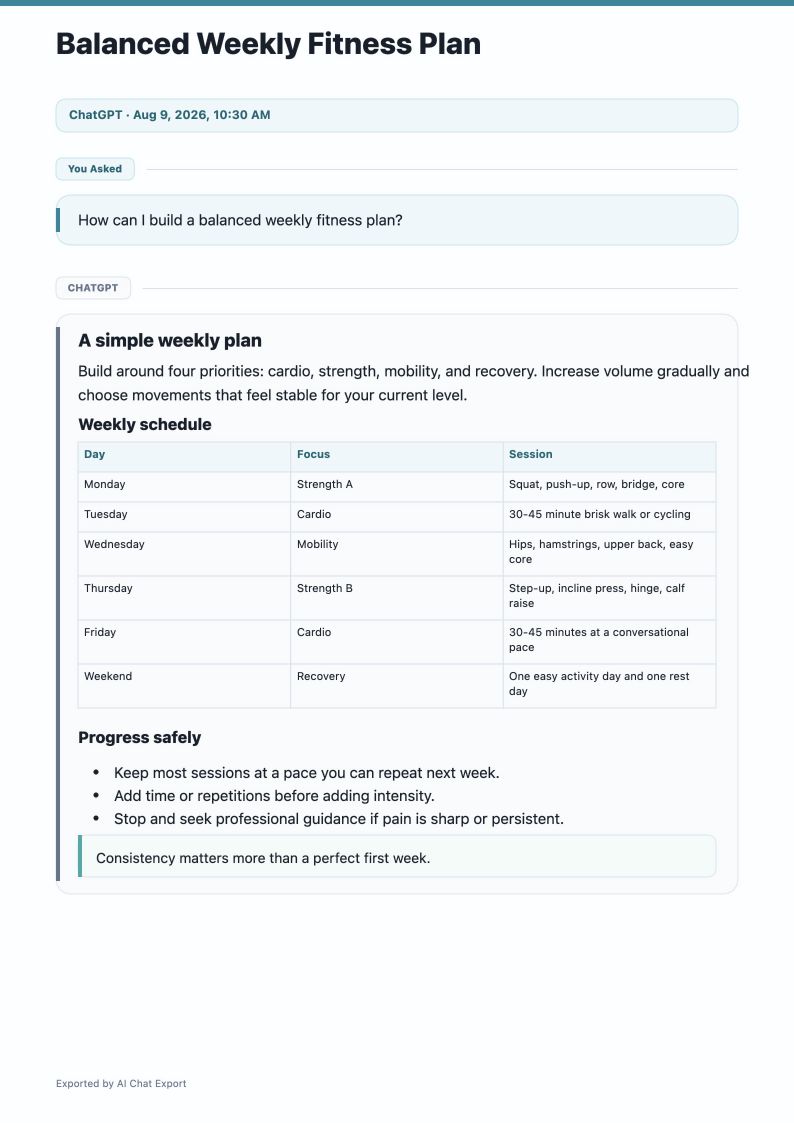
Use the report to check counts, review health warnings, copy the JSON record, and compare the SHA-256 fingerprint later.
Local file generation, explicit sync destinations, and account services follow separate data paths.
Images may be fetched from the original AI platform or its image CDN so they can appear in the exported file.
The Free plan keeps the core workflow available. Pro unlocks higher limits, more themes, and clean delivery files.
For occasional local exports with the essential workflow.
For people turning AI output into research, client documents, and reusable archives.
AI Chat Export is an independent browser extension and is not affiliated with or endorsed by OpenAI, Anthropic, Google, ChatGPT, Claude, Gemini, Notion, or Obsidian.